Access 25+ free local PDF tools to edit, merge, and convert documents entirely offline. With zero cloud uploads and no tracking, your sensitive files never leave your device.
Utility
Screenshots
App Information
Environmentlocal
Size0 MB
CostFree
PlatformsALL, Web
About this app
Privacy PDF was built with a single mission: to provide powerful PDF tools without compromising user privacy. Unlike most online PDF converters that upload your sensitive documents to remote servers, Privacy PDF processes everything locally in your browser. Your files never leave your device, making it 100% secure and private.
Why Choose Privacy PDF?
- 100% Offline Processing: Once the application loads, you can completely turn off your internet. All document manipulation happens natively in your browser's memory, ensuring zero cloud exposure.
- Zero Tracking & Strict Privacy: We don't store your data, we don't use cookies to track you, and we certainly don't see your documents.
- Comprehensive Free Local PDF Tools: Access over 25 dedicated utilities without paying for heavy premium desktop software.
Core Utilities Included
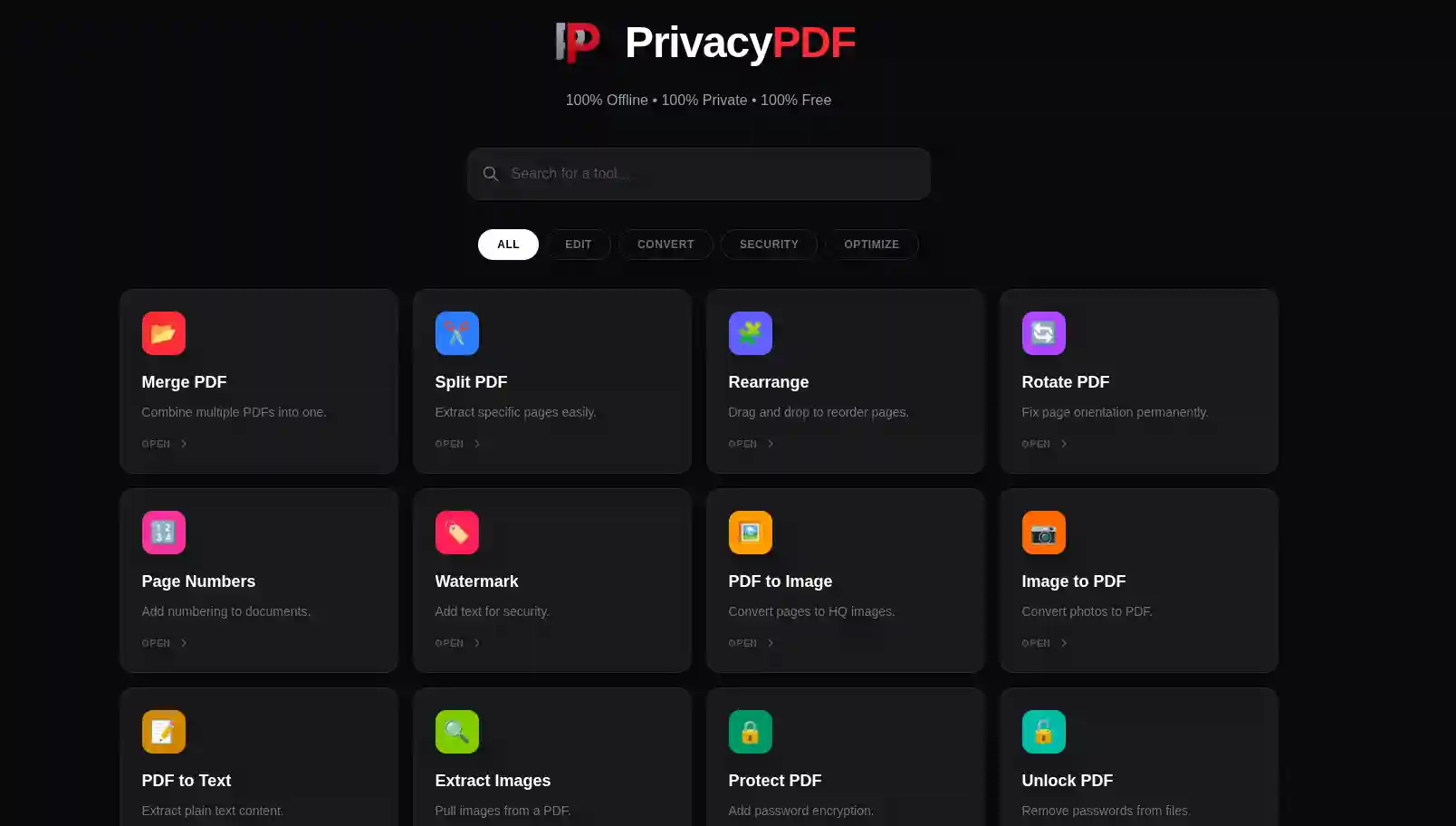
- Edit & Combine: Merge multiple documents, split specific pages, rearrange layouts, and permanently rotate orientations securely.
- Security & Optimization: Add encrypted passwords, remove existing passwords, stamp secure watermarks, and compress heavy file sizes for fast email sharing.
- Format Conversion: Convert PDFs to high-quality images (JPEG/PNG), extract raw text, or turn image assets and Microsoft Office files into compiled PDFs locally.
Note: This suite launches in a dedicated, secure web environment to ensure maximum memory allocation for heavy PDF processing.
System Requirements
Chrome, Firefox, Safari, Edge | RAM: Dependent on PDF file size.